
Corrigendum in Tender India 2026: How to Handle Amendments
You spent three days preparing your bid — documents verified, EMD (Earnest Money Deposit) arranged, pricing finalised. You submit on time. Then a rejection notice arrives. The reason? An eligibility criterion was revised through a corrigendum issued after you downloaded the tender, and you missed it. This situation is far more common than most bidders realise, and it has nothing to do with the quality of your bid.
Understanding what a corrigendum in tender means — and how to act on it immediately — is one of the most practical skills any bidder in India can develop. With India's government procurement market valued at ₹50–70 lakh crore annually, accounting for 20–22% of GDP according to TenderDekho Research (2025 data), the stakes of missing a single amendment can be significant. Whether you are a first-time bidder or a seasoned MSME (Micro, Small and Medium Enterprise), this guide covers everything you need to know.
You can explore active tenders with corrigendum alerts across India on TenderDekho's tender listings platform, which covers 54+ government portals in one place.
| Quick Facts: Corrigendum in Tender | |
|---|---|
| What it is | Official amendment or correction to a published tender document |
| Issued by | Tendering authority (Ministry, PSU, State Dept., local body) |
| Legal status | Carries the same legal weight as the original tender document |
| Where published | Same portal as the original tender — CPPP, GeM, state e-procurement |
| Who must follow it | All registered bidders; compliance is mandatory, not optional |
| Deadline impact | Can extend, shorten, or leave unchanged the bid submission deadline |
Source: GFR (General Financial Rules) 2017; CPPP Newsletter (2025 data)
What Is a Corrigendum in Tender?
A corrigendum is an official document issued by a tendering authority to correct, clarify, or modify a tender that has already been published. The word itself comes from Latin, meaning "something to be corrected." In Indian government procurement, it is the formal mechanism through which any changes to a live tender are communicated to all prospective bidders.
Once a corrigendum is released, it becomes a legally binding part of the original tender document. According to India's General Financial Rules (GFR) 2017, all bidders must compete on identical, pre-declared terms — so any material change to specifications, eligibility criteria, or timelines must be formalised through a corrigendum and published through the same platform as the original tender.
The Central Public Procurement Portal (CPPP) at eprocure.gov.in — which serves over 800 Central Government Ministries, Departments, and Public Sector Units according to CPPP (2025 data) — is mandatory for publishing all corrigenda related to central government tenders. State portals follow their own mandated systems, but the principle is uniform: a corrigendum is official, public, and binding the moment it is uploaded.
If your submitted bid does not reflect the changes in a corrigendum, your bid can be rejected outright — even if every other element of your submission is perfectly compliant.
Before You Start: Know When Corrigenda Are Issued
Not every tender undergoes amendment, but many do. Understanding the common triggers helps you anticipate when to check more frequently for updates.
| Reason for Corrigendum | What Changes | Your Action |
|---|---|---|
| Typographical or factual error | Incorrect quantities, values, dates, or specifications | Re-read the affected clauses |
| Deadline extension | Bid submission or pre-bid meeting date pushed forward | Note revised deadline immediately |
| Eligibility criteria revision | Turnover, experience, or certification requirements changed | Reassess your eligibility |
| Technical specification change | Product standards, BOQ (Bill of Quantities), scope of work updated | Revise your technical bid |
| EMD or bid security update | Amount or acceptable instrument changed | Arrange updated EMD |
| Regulatory compliance | New government policy or Make in India order incorporated | Check new compliance requirement |
| Pre-bid meeting outcomes | Questions from bidders formally answered and codified | Update your understanding of requirements |
Source: GFR 2017; CPPP Portal Guidelines (2025 data); iclg.com Public Procurement Report (2026)
The most common corrigendum type in central government tenders is a deadline extension — often issued when bidders collectively request more time or when the authority itself needs to respond to pre-bid queries. Deadline changes can go in either direction, so never assume the original submission date is final until the tender closes.
Prerequisites for Handling Corrigenda Effectively
Before you can act on any corrigendum, you need the right setup:
- Portal registration: Register on the relevant portal — CPPP (eprocure.gov.in), GeM (gem.gov.in), or your state's e-procurement system — before downloading any tender documents.
- DSC (Digital Signature Certificate): Most CPPP and state portals require a Class III DSC for bid submission. Ensure yours is valid and not expired.
- Notification alerts enabled: Turn on email and SMS alerts for the specific tender ID you are tracking. CPPP updates corrigendum information every 15 minutes according to CPPP portal guidelines.
- A monitoring schedule: Commit to checking the original portal listing at least twice a week from the day you download documents until the submission deadline.
- A corrigendum log: Keep a simple record of all corrigenda issued, the changes made, and the date you reviewed them.
Step-by-Step: How to Track and Handle a Corrigendum in Tender
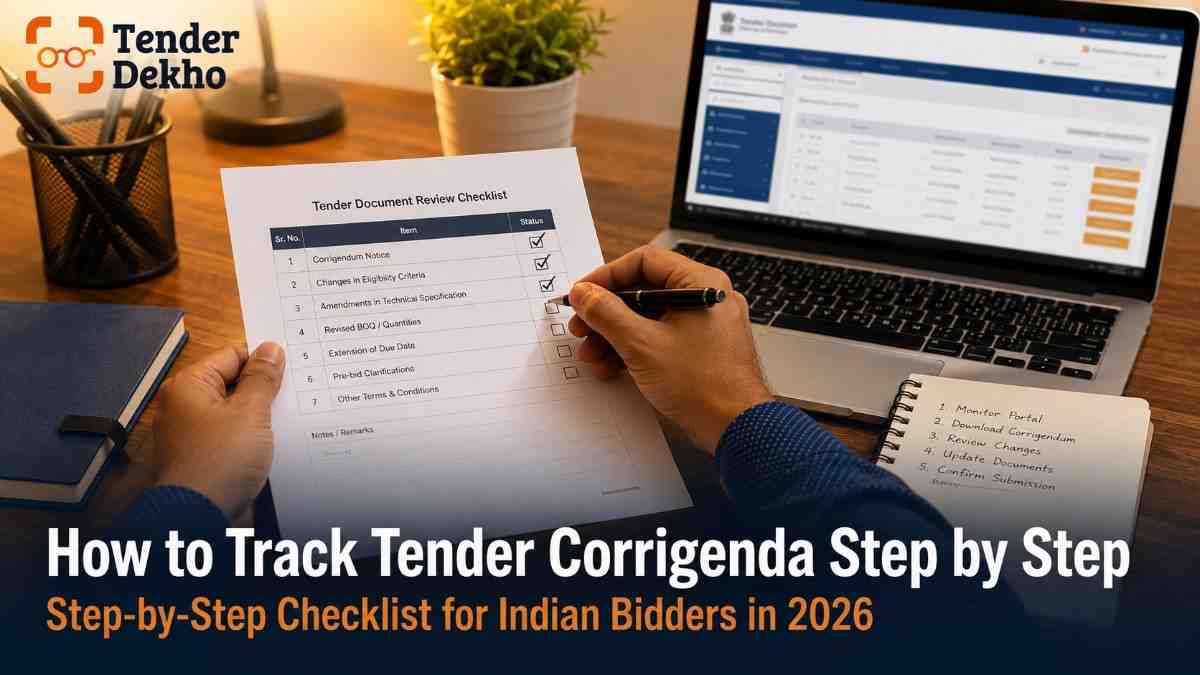
Follow these steps every time you are tracking an active tender.
Step 1: Download from the Source Portal Immediately
Always download tender documents directly from the official publishing portal — CPPP, GeM, or the relevant state e-procurement system. Never rely on third-party copies as your primary reference. The portal listing is where all corrigenda appear first.
Step 2: Note the Tender ID and Set Alerts
Record the tender's unique ID number. On CPPP, use this ID to set up notifications. On GeM, enable bid alerts for the specific bid reference. On state portals, check for an email subscription or watchlist feature. This ensures you receive automatic notifications when a corrigendum is published.
Step 3: Check the Portal Listing Twice a Week
Do not rely solely on alerts. Visit the tender's specific page on the portal at least twice a week. Scroll to the corrigendum section, which is typically listed as a separate tab or downloadable file below the main documents. Compare the corrigendum dates with your last review date.
Step 4: Download and Read Every Corrigendum in Full
When a corrigendum is published, download it immediately. Read every line — do not assume it is only a deadline change. Corrigenda can cover anything from a single date correction to a full revision of technical specifications or eligibility criteria.
| Corrigendum Element to Check | Why It Matters |
|---|---|
| Revised submission deadline | Submitting even one minute after the new deadline causes automatic rejection |
| Updated eligibility criteria | You may now qualify — or be disqualified — under the revised terms |
| Changed technical specifications | Your product or service proposal may need revision |
| Modified BOQ or quantities | Your pricing may need adjustment |
| New or revised documents required | Missing a newly-required document is grounds for disqualification |
| EMD amount or format change | Submitting old EMD details invalidates your bid security |
Source: tenderbook.in (April 2026); nexizo.ai Tender Guide (2026)
Step 5: Compare Against Your Prepared Bid Documents
After reading the corrigendum, systematically compare each change against what you have already prepared. Create a checklist. Mark every item that requires a revision — a changed specification, a new document, a revised EMD amount, or a corrected quantity.
Step 6: Revise Your Bid Documents Accordingly
Update every affected document. If the corrigendum changes the scope of work, revise your technical and financial bids. If it changes the eligibility threshold, ensure your supporting documents reflect the revised standard. If a new form has been prescribed, obtain and complete it.
Step 7: Acknowledge the Corrigendum at Submission
Many portals and tender documents require bidders to acknowledge that they have read and accepted all corrigenda. This is usually a checkbox or a declaration form. Failing to acknowledge a corrigendum can itself be a technical disqualification, even if all your documents are otherwise correct.
Step 8: Re-validate Your Submission Checklist
Before you submit, run through your complete bid document checklist again — this time with the corrigendum changes incorporated. Check that all document dates, page numbers, and references align with the revised tender requirements.
| Timeline for Corrigendum Action | |
|---|---|
| Corrigendum published | Day 0 — Download and read in full |
| Identify required changes | Day 0–1 |
| Revise affected bid documents | Day 1–3 |
| Re-validate full submission checklist | Day 3–4 |
| Final bid submission | By revised deadline |
Common Mistakes to Avoid When Handling Corrigenda
Most bid rejections tied to corrigenda are avoidable. Here are the errors bidders make most often:
| Mistake | Consequence | How to Avoid |
|---|---|---|
| Checking portal only once after download | Miss a later corrigendum | Set a twice-weekly calendar reminder |
| Assuming it is only a date change | Miss specification or eligibility revision | Always read the full document |
| Not updating EMD after corrigendum | Bid rejected at technical stage | Check EMD amount and instrument in every corrigendum |
| Forgetting to re-acknowledge corrigendum | Technical disqualification | Treat acknowledgement as a mandatory step |
| Relying on unofficial sources for updates | Receive outdated or incomplete information | Only trust the original government portal |
| Submitting the old bid version | Non-compliance with revised terms | Prepare a fresh submission checklist after each corrigendum |
One of the most costly mistakes is assuming that a corrigendum only extends the deadline. In practice, deadline extensions often come bundled with specification changes resulting from pre-bid meeting questions that were formally answered. Every corrigendum deserves a full read, regardless of how innocuous the subject line appears.
You can track live tender updates and corrigenda across 54+ government portals in one place by using government tender listings on TenderDekho, which is updated continuously throughout the day.
Corrigendum vs Addendum: What Is the Difference?
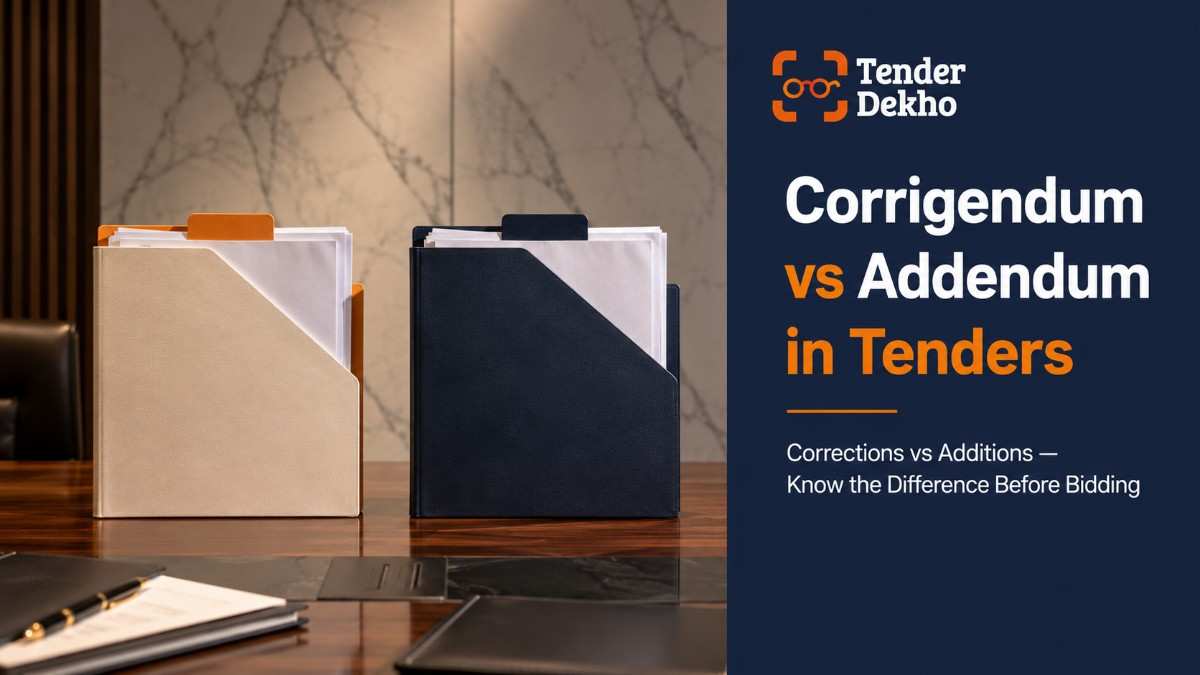
These two terms are often used interchangeably in practice, but they have distinct meanings that are worth understanding.
A corrigendum corrects something that already exists in the tender document — it fixes an error, clarifies an ambiguous clause, or modifies an existing condition. An addendum, on the other hand, adds entirely new content that was not present in the original document.
| Feature | Corrigendum | Addendum |
|---|---|---|
| Purpose | Corrects or modifies existing content | Adds new content not in the original |
| Trigger | Error, ambiguity, or changed requirement | Additional requirement or new information |
| Effect on original | Overwrites the amended clause or section | Supplements the original document |
| Legal status | Equal legal weight to original tender | Equal legal weight to original tender |
| Common example | Deadline extended, spec corrected | New document format prescribed, new compliance clause added |
In Indian government procurement, many departments use the terms interchangeably. What matters in practice is not the label but the content — read every amendment document, whatever it is called, with the same level of attention.
According to CPPP portal guidelines, the e-publishing module on CPPP handles both corrigenda and addenda under the same workflow. The portal updates listings every 15 minutes, and registered bidders receive SMS and email alerts. However, relying on alerts alone is a risk — always verify directly on the portal.
MSME Advantage When Handling Corrigenda
For MSMEs bidding on government tenders, corrigendum management has a specific dimension worth understanding. India's public procurement policy mandates that at least 25% of government procurement be sourced from MSMEs, a requirement confirmed as binding on all procuring entities by the Supreme Court of India in February 2025, according to Lexology (2025 data).
This policy is frequently operationalised through tender conditions — and corrigenda sometimes revise MSME-related terms. Here is what MSME bidders should watch for in every corrigendum:
- EMD exemption confirmation: If a tender initially required EMD but a corrigendum waives it for MSME bidders, you can redirect those funds. Conversely, if EMD conditions change, ensure you comply.
- Eligibility threshold revision: Corrigenda sometimes relax minimum turnover or experience requirements — changes that can open a tender to smaller MSMEs who were initially excluded.
- Make in India conditions: DPIIT (Department for Promotion of Industry and Internal Trade) notifications frequently update Make in India requirements, which may appear in corrigenda.
- Udyam registration requirement: Some corrigenda formally add or clarify the requirement for Udyam Registration Certificate as a mandatory document for MSME preference claims.
If a corrigendum relaxes eligibility and you were previously disqualified, you now have the right to bid. Do not assume your earlier assessment of ineligibility still stands after a corrigendum is issued.
MSME bidders can find tenders with MSME-friendly conditions across all major categories by browsing MSME-eligible tenders on TenderDekho.
FAQs: Corrigendum in Tender India 2026
What is a corrigendum in tender and is it legally binding?
A corrigendum is an official amendment to a published tender document. Once issued, it carries the same legal weight as the original tender. According to GFR 2017 guidelines, all bidders must comply with corrigendum terms. Submitting a bid that ignores a corrigendum can result in disqualification, regardless of the quality of your other documents.
How do I know if a corrigendum has been issued on my tender?
- Check the specific tender page on the portal (CPPP, GeM, state e-proc) at least twice a week
- Enable SMS and email alerts on the portal using the tender ID
- Look for a "Corrigendum" tab or downloadable file on the tender listing page
- Use aggregator platforms that pull updates from 54+ portals in one place
Can a corrigendum shorten the bid deadline?
Yes. While deadline extensions are more common, a corrigendum can also shorten a submission deadline in rare cases. Always check the revised date explicitly and update your calendar immediately.
What happens if I submit my bid without reading a corrigendum?
Your bid may be rejected at the technical evaluation stage. Even if your pricing is the most competitive, non-compliance with revised specifications, eligibility criteria, or document requirements from a corrigendum is grounds for disqualification.
Can MSMEs use a corrigendum to their advantage?
- Yes — if a corrigendum relaxes turnover or experience thresholds, previously ineligible MSMEs can now bid
- If EMD is waived for MSMEs via corrigendum, you save that working capital
- If MSME-preference conditions are added through a corrigendum, claim them explicitly in your bid
- Always re-read your eligibility after any corrigendum is issued
Is there a difference between a corrigendum on CPPP and on GeM?
The content and legal effect are the same — both are official amendments. On CPPP (eprocure.gov.in), corrigenda appear in the tender's dedicated page. On GeM (gem.gov.in), corrigendum details appear within the bid listing. State portals follow their own interface but publish corrigenda in a similar manner.
Next Steps: Build a Corrigendum Monitoring Habit
Handling corrigenda is not a one-time task — it is an ongoing discipline that separates organised bidders from those who face preventable rejections. If you are actively bidding on government tenders, build the following routine:
| Week | Action |
|---|---|
| Week 1 | Register on all relevant portals; enable alerts for every active tender ID |
| Week 2 onwards | Check each active tender page twice a week; log all corrigenda in a tracking sheet |
| Before each bid | Run a final corrigendum check; acknowledge all amendments in your submission |
| Post-bid | Note what corrigenda were issued — use this to improve future monitoring |
The CPPP portal at eprocure.gov.in, along with GeM at gem.gov.in, are your primary sources for central government tender corrigenda. For state tenders, identify your state's official e-procurement portal and monitor it on the same schedule.
For further guidance on government tender processes, visit the TenderDekho tender resource guide and the TenderDekho FAQ section for answers to common procurement questions.
You can also browse all active government tenders on TenderDekho, where corrigendum-updated tender information from 54+ portals is aggregated in one searchable interface — so you spend less time portal-hopping and more time preparing a winning bid.