
Every year, thousands of sellers lose GeM orders not because their product was wrong — but because they did not know which procurement route the buyer was using. Government e-Marketplace (GeM) recorded a cumulative Gross Merchandise Value (GMV) of ₹18.4 lakh crore and crossed ₹5 lakh crore in FY 2025-26 alone, according to GeM CEO Mihir Kumar (2025-26 data). That scale means buyers are choosing their procurement method — Direct Purchase, Standard Bid, or Custom Bid — more deliberately than ever. If you are a seller and you cannot tell a Custom Bid apart from a Direct Purchase, you are already starting at a disadvantage.
This guide breaks down both procurement routes clearly, compares them side by side, and explains exactly how you should prepare for each one. You can also explore active GeM bids and government tenders on TenderDekho to see what is live right now across categories and ministries.
| Feature | Direct Purchase | Custom Bid |
|---|---|---|
| Value limit | Up to ₹5 lakh | Minimum ₹5 lakh |
| Catalogue required? | Yes — product must be listed | Yes — or Universal Category listing |
| Competitive process? | L1 selection (3 sellers) | Open bidding, L1 or RA |
| Bid duration | Instant / same-day | 10–45 days |
| Buyer flexibility | Low — standard specs only | High — buyer defines specs |
| EMD required? | No | Sometimes — waived for MSEs |
| Source: GeM portal (gem.gov.in), GFR Rule 149 (2025 data) |
What Is Direct Purchase on GeM?

Direct Purchase is the simplest procurement method on GeM. The buyer browses the platform, selects a product that already exists in the catalogue, and places an order without running a formal bid.
Under GFR Rule 149 (amended), the thresholds work as follows, according to the GeM portal:
- Up to ₹25,000: the buyer can pick any available seller who meets quality and delivery requirements.
- Above ₹25,000 and up to ₹5 lakh: the buyer must select the lowest-priced (L1) seller from at least three different manufacturers listed on GeM.
This means your product must be live on the GeM catalogue, correctly categorised, and competitively priced for you to benefit from Direct Purchase orders. There is no bidding, no bid document, and no waiting period. The buyer simply adds your product to cart and places the order.
When Buyers Choose Direct Purchase
Buyers typically use Direct Purchase for:
- Routine office supplies (stationery, toner, cleaning material)
- Standard IT peripherals (keyboards, mice, cables)
- Spare parts and consumables with predefined specs
- Low-urgency repeat purchases under the ₹5 lakh limit
For sellers, Direct Purchase is passive income — orders land in your dashboard without you submitting a single bid. But it only works if your catalogue listing is complete, your price is competitive against at least two other manufacturers, and your delivery terms are clearly stated.
What Is a Custom Bid on GeM?
A Custom Bid (also called a Custom Catalogue-Based Bid or Custom Item Bid) is raised when a buyer needs a product or service that does not fit neatly into GeM's existing standard categories — or when the buyer wants to specify exact parameters beyond what the catalogue offers.
The buyer creates a bid with their own technical specifications, sets a reference price (minimum ₹5 lakh per GeM Buyer User Manual), and opens it to seller responses for 10 to 45 days. Sellers must then create or match a product listing — often through GeM's Universal Category — before they can quote in that bid.
| Custom Bid Step | Who Does What | Time Required |
|---|---|---|
| Buyer creates bid with custom specs | Buyer | Day 0 |
| Bid published on portal | GeM system | Day 1 |
| Seller reviews specs and eligibility | Seller | Day 1–3 |
| Seller lists product under Universal Category (if needed) | Seller | Day 2–5 |
| Seller submits bid with pricing and documents | Seller | Before closing date |
| Bid evaluation (L1 or RA) | GeM / Buyer | Post closing |
| Order awarded | Buyer | Within days of evaluation |
| Source: GeM Buyer User Manual; GeM portal (gem.gov.in) |
Custom Bids are where the higher-value contracts live. Services contracts, specialised equipment, project-based procurement, and niche product categories predominantly come through this route. According to GeM portal data, the services segment — which is heavily driven by custom and BOQ (Bill of Quantity) bids — grew close to 100% year-on-year in FY 2024-25 (2025 data).
What Is the Universal Category?
Universal Category is a special listing option on GeM for products that do not belong to any existing standard category. If a buyer floats a Custom Bid and your product does not match any existing GeM category, you must first upload it under Universal Category and then use that listing to quote in the bid. You cannot skip the product-creation step and quote directly — the bid quote is always tied to a product listing.
GeM Custom Bid vs Direct Purchase: Full Comparison
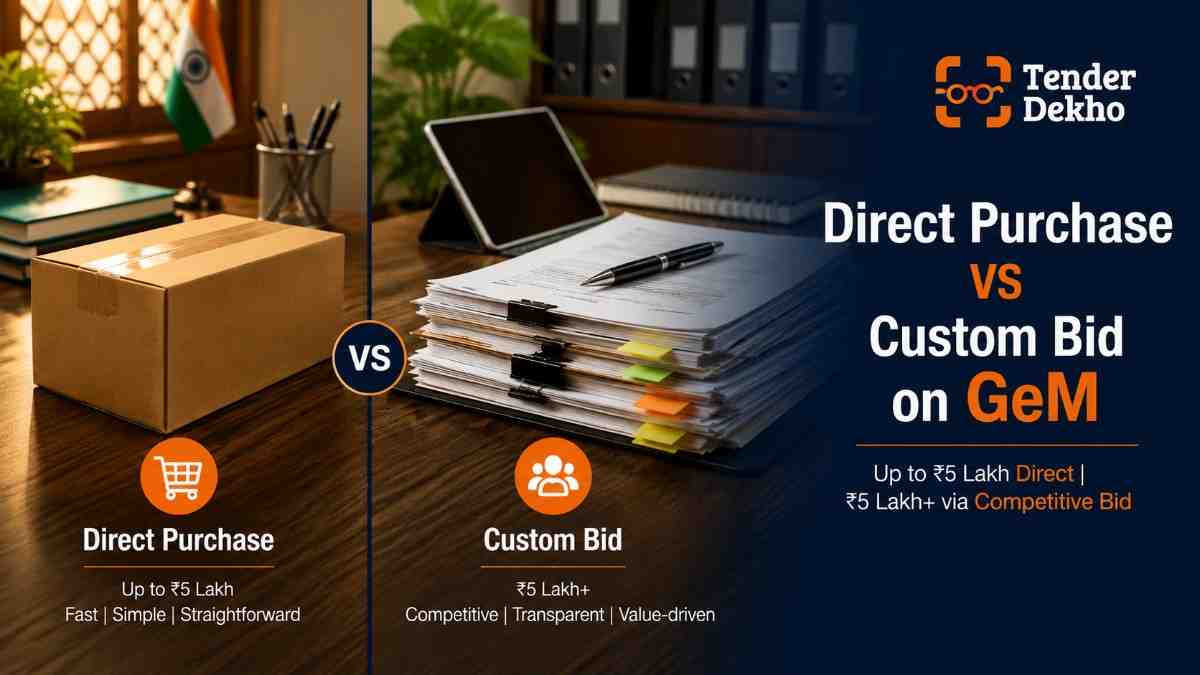
| Parameter | Direct Purchase | Custom Bid |
|---|---|---|
| Triggered by | Buyer browsing existing catalogue | Buyer with specific/custom requirement |
| Who can participate | Any seller with listed product | Any eligible seller (may need Universal Category listing) |
| Minimum order value | No minimum | ₹5 lakh |
| Maximum value | ₹5 lakh (L1 route) | No upper cap |
| Evaluation method | L1 from 3 sellers | L1, Bid-to-RA, or Two-Packet |
| Bid document needed | No | Yes |
| DSC required | No | Yes (for bid submission) |
| Preparation time | Zero (if already listed) | Days to weeks |
| MSME price preference | L1+15% matching available | L1+15% matching available |
| EMD required | No | Varies — MSEs exempt |
| Corrigendum possible? | No | Yes — always check before deadline |
| Contract terms | Standard GeM GTC | Custom terms may apply |
| Source: GeM portal (gem.gov.in), GFR 2017 Rule 149; GeM GTC (2025 data) |
How to Win Direct Purchase Orders: A Seller Checklist
Direct Purchase is about discoverability and pricing. You do not submit a bid — the buyer simply picks the cheapest qualifying seller. Here is what makes that happen in your favour:
Catalogue quality:
- Upload high-resolution product images (minimum 3 angles)
- Fill every specification field — do not leave golden parameters blank
- Write accurate product descriptions using the same terminology buyers use in search
- Ensure brand authorisation documents are current in your DigiLocker
Pricing discipline:
- Set your price below or at market L1 level — you are invisible above L1
- Update prices when raw material or logistics costs change
- Remember that the buyer can see your price compared to at least two other sellers
Rating and reliability:
- Maintain a seller rating above 4 stars — buyers filter by this
- Keep delivery timelines realistic; missed deadlines reduce your rating
- Respond to buyer queries within 24 hours
For sellers who want help setting up a well-optimised profile and catalogue, TenderDekho's GeM product catalogue listing service covers the complete listing process.
| Direct Purchase Readiness | Status Check |
|---|---|
| Product listed in correct category | ✅ Must-have |
| All golden parameters filled | ✅ Must-have |
| Brand authorisation uploaded | ✅ Must-have |
| Price at or below market L1 | ✅ Must-have |
| Seller rating 4+ stars | ✅ Must-have |
| Udyam registration linked (MSMEs) | ✅ Must-have |
| DSC active (Class 3) | ⚠️ Required for bids, recommended for all |
| Caution money deposited | ⚠️ Verify current GeM requirement |
Get instant tender alerts — completely free
New government tenders are published daily. Get notified instantly for the ones that match you.
How to Win Custom Bids: A Step-by-Step Approach
Custom Bids require active participation. You must find the bid, assess eligibility, prepare your listing, and submit a competitive quote — all within the bid window of 10 to 45 days.
Step 1: Monitor bid notifications daily.
Log into your GeM seller dashboard and check the Bid/RA section. Use category filters to narrow down to your product types. Set up email alerts so you are notified the moment a relevant bid is published. You can also track GeM bid listings updated daily on TenderDekho across all categories and ministries.
Step 2: Read the bid document before doing anything else.
Open the full bid document and check:
- Technical specifications and golden parameters
- Eligibility criteria (turnover, experience, certifications)
- Delivery location and timeline
- EMD requirement and amount
- Payment terms and warranty obligations
Step 3: Check if your product already matches an existing listing.
If your product is already in GeM's standard catalogue and meets the bid's specifications, select that listing to quote. If it does not match, you must upload the product under Universal Category first.
Step 4: Create a Universal Category listing if needed.
Navigate to Catalogue > Products > Add New Offering. Enter all product details, upload supporting documents, and publish. This listing is then what you select when you click "Participate" on the Custom Bid.
Step 5: Submit your bid with a competitive price and complete documents.
Common rejection reasons in Custom Bids include:
- Outdated certifications (BIS, ISO, or FSSAI not renewed)
- Missing DSC (Class 3 Digital Signature Certificate) mapping
- Failure to acknowledge a corrigendum issued after the original publication
- Price quoted above the buyer's reference value
Step 6: Track the Reverse Auction if applicable.
Many Custom Bids move to a Reverse Auction (RA) phase after initial submission. In RA, sellers lower their prices in real time. Any bid placed in the final five minutes automatically extends the auction by five minutes. Set a floor price before the RA begins — the minimum margin you can accept — and do not bid below it in the heat of the moment.
For end-to-end support on Custom Bid participation — from document review to submission — TenderDekho's GeM bid participation service provides compliance assistance on high-value bids.
MSME Advantage: How It Applies to Both Routes
MSMEs and MSEs registered on GeM with valid Udyam certification enjoy specific protections in both Direct Purchase and Custom Bid routes. In FY 2025-26, 68% of total GeM orders were fulfilled by MSEs, who accounted for 47.1% of total GMV, according to GeM CEO Mihir Kumar (2025-26 data). Over 11 lakh MSEs are now active on the platform.
In Direct Purchase:
- No formal MSME preference applies, but your pricing competitiveness is what drives orders.
- Your Udyam registration improves discoverability in buyer filters.
In Custom Bids:
- If the L1 price is won by a non-MSE seller, any MSE quoting within L1+15% can match the L1 price and receive 25% of the total order value, per the Public Procurement Policy for MSEs (MSMED Act 2006).
- Udyam-registered MSEs are exempt from paying EMD (Earnest Money Deposit), saving 1–2% of the tender value per bid, per GFR Rule 170 and DPIIT guidelines.
- MSME OEM sellers are exempt from prior experience and turnover requirements in many Custom Bid categories.
- DPIIT-recognised startups receive similar waivers on EMD and experience criteria.
| MSME Benefit | Direct Purchase | Custom Bid |
|---|---|---|
| EMD exemption | Not applicable | ✅ Udyam-registered MSEs exempt |
| L1+15% price matching | Not applicable | ✅ 25% order share available |
| Experience relaxation | Not applicable | ✅ For MSE OEMs |
| Turnover relaxation | Not applicable | ✅ For MSE OEMs |
| Udyam filter visibility | ✅ Improves discoverability | ✅ MSME badge shown |
| MSME-only tenders | N/A | ✅ Available up to ₹200 crores |
| Source: MSMED Act 2006 Section 11; GFR Rule 170; DPIIT (2025 data) |
If you are not yet registered as a seller on GeM or have not linked your Udyam certificate, starting with GeM seller registration is the essential first step before any of these benefits apply to you.
Frequently Asked Questions
What is the difference between a Custom Bid and a Standard Bid on GeM?
A Standard Bid uses existing GeM catalogue categories — the product specifications are predefined by GeM and sellers quote for products they already have listed. A Custom Bid is raised by the buyer when the product or service does not fit into any existing category, or when the buyer needs specifications beyond what the standard catalogue allows. Custom Bids often require sellers to create a new listing under Universal Category before they can participate.
Competitor Intelligence Dashboard
6-module analysis platform · Paid feature
Know exactly who's beating you — and how to win next time.
Go beyond basic search. Analyse bid history, win rates, and head-to-head performance for any company across 8 years of government tender results.
7L+
Companies
6
Intel Modules
8 Yrs
Bid History
AI
Insights Engine
Can a seller participate in a Custom Bid if their product is not yet listed on GeM?
Yes, but you must first list the product under GeM's Universal Category before clicking "Participate" on the Custom Bid. You cannot submit a quote without a linked product listing — the system will not allow it. Allow 2–5 working days for this listing to be created and verified before the bid closes.
Is EMD required for Custom Bids on GeM?
It depends on the bid. Buyers can choose to include an EMD requirement when creating the bid. However, Udyam-registered Micro and Small Enterprises (MSEs) are exempt from paying EMD under the Public Procurement Policy (Section 11, MSMED Act 2006) and GFR Rule 170. DPIIT-recognised startups also receive EMD waivers. Traders — as opposed to manufacturers or service providers — are generally not eligible for the exemption.
What happens if I miss a corrigendum on a Custom Bid?
If a buyer issues a corrigendum (an amendment to the bid document) and you fail to acknowledge it before submitting your bid, your submission can be automatically disqualified. Always check for corrigenda in the bid notification section after the original publication date — especially for bids with a long window of 30 days or more.
Can MSMEs get Direct Purchase orders without active selling?
Direct Purchase orders arrive passively — no bid is required. But you still need a complete, competitive catalogue listing. If your product is correctly listed, priced at or below the L1 level among three manufacturer listings, and your seller rating is maintained, Direct Purchase orders will arrive without any additional effort on your part. Udyam registration improves your discoverability through the MSME filter buyers can apply.
What is the minimum value for a Custom Bid on GeM?
According to the GeM Buyer User Manual, Custom Bids for services require a minimum reference value of ₹5 lakh. For product-based Custom Bids (Custom Catalogue-Based Bids), general competitive bidding on GeM applies from procurements above ₹3 lakh. Buyers using the standard L1 Direct Purchase route are limited to a maximum of ₹5 lakh — so any requirement above this threshold almost always goes to a formal bid.
Your 30-Day GeM Optimisation Plan

Whether you are chasing Direct Purchase orders, Custom Bids, or both, here is a structured plan to get your GeM presence ready:
| Week | Focus | Key Actions |
|---|---|---|
| Week 1 | Catalogue audit | Review all active listings; fill blank golden parameters; update prices; check brand authorisation expiry |
| Week 2 | Compliance checks | Renew expired certifications (BIS, ISO); verify Udyam is linked to GeM profile; ensure DSC (Class 3) is active and mapped |
| Week 3 | Bid pipeline setup | Set up bid alert filters on GeM for your categories; review 5 recent Custom Bids in your space to understand specification patterns |
| Week 4 | Participation practice | Participate in at least one Custom Bid in your category; if product needs Universal Category listing, create it; track the bid through to award |
GeM's platform favours sellers who are always ready — listings up to date, documents in place, and bid alerts turned on. Start your optimisation now and find GeM opportunities across product and service categories on TenderDekho to see what is live in your sector today. For further reading on procurement concepts and strategy, visit the TenderDekho blog.