
Missed a tender by one day? You are not alone. Thousands of capable Indian businesses — MSMEs, contractors, and service providers — lose contract opportunities every year not because of poor pricing or weak capability, but because they simply ran out of time. With India's government procurement market worth ₹50–70 lakh crore annually and GeM alone crossing ₹5 lakh crore in Gross Merchandise Value (GMV) in FY 2025–26 alone, according to IBEF (2026 data), the cost of missing a deadline has never been higher.
Government tenders in India operate on strict, non-negotiable timelines. Once the bid submission window closes, there is no second chance — no appeal, no extension request. The system is designed this way to ensure fairness, and it punishes disorganisation more reliably than it punishes competition. If you want a consistent pipeline of government contracts, tracking deadlines is not optional — it is the foundation everything else is built on.
Explore 137,000+ active government tenders on TenderDekho and start building your deadline tracking system today.
| Quick Facts: Tender Deadlines in India | Detail |
|---|---|
| Primary portals to monitor | CPPP (eprocure.gov.in), GeM (gem.gov.in), State e-procurement portals |
| Typical bid submission window | 15–30 days from Notice Inviting Tender (NIT) date |
| Corrigendum (extension) frequency | Common — but not guaranteed |
| Consequence of missing deadline | Bid automatically disqualified, no exception |
| MSME advantage | EMD exemption, relaxed eligibility — but deadlines apply equally |
| GeM FY26 GMV | ₹5.03 lakh crore (IBEF, 2026 data) |
Source: GeM portal, CPPP guidelines, IBEF (2026 data)
Why Businesses Miss Tender Deadlines — and What It Really Costs

The mechanics of missing a deadline are almost always the same. A company spots a relevant tender, saves the URL, intends to act on it — and then gets pulled into day-to-day work. By the time anyone checks again, the submission window has closed.
This is not a small-business problem. Even experienced procurement teams with dedicated staff miss tenders because they rely on memory, informal reminders, or a shared inbox that nobody owns clearly. According to procurement management research, manual deadline tracking fails at scale — not occasionally, but predictably and repeatedly.
The financial cost is direct. Every missed tender is a lost revenue opportunity. If your average contract value is ₹20–50 lakh and you miss even two tenders per quarter, that is ₹40–100 lakh in unrealised revenue every three months. For MSMEs, where a single government contract can represent 20–40% of annual turnover, missed deadlines are not an inconvenience — they are a serious business risk.
There is also an indirect cost. Preparing to bid takes time, money, and document gathering. When a business misses the submission window after putting in preparation work, that investment is wasted entirely.
| Why Deadlines Get Missed | How Common | Fix |
|---|---|---|
| Relying on memory / informal reminders | Very common | Structured calendar system |
| Monitoring only one portal | Common | Multi-portal alert setup |
| Not checking corrigendums | Common | Daily portal check routine |
| Late discovery of the tender | Very common | Alert subscriptions |
| Document not ready in time | Common | Reverse deadline planning |
| DSC expired at submission time | Occasional | Certificate renewal tracker |
Source: Tata Nexarc procurement guide (2025 data), TenderDekho Research Team
Understanding India's Tender Timeline Structure
Before you can track deadlines effectively, you need to understand what you are tracking. A single government tender in India has multiple dates — not just one submission deadline.
Here is the standard timeline for a tender published on CPPP or a state e-procurement portal:
- NIT Publication Date — The Notice Inviting Tender (NIT) is published. This is your start date. The clock is now running.
- Document Download Period — You typically have a window to download the full tender document. Missing this window means you cannot access the BOQ (Bill of Quantities), annexures, or eligibility criteria.
- Pre-Bid Meeting Date — Many large tenders include a pre-bid meeting where bidders can raise clarifications. Attending these gives you competitive intelligence and flags scope ambiguities before you price your bid.
- Corrigendum Deadline (if any) — If the department issues a corrigendum (amendment), the submission deadline may shift. This new deadline supersedes the original and is often buried in an addendum notice. Missing it means you submit against an outdated document.
- Bid Submission Deadline — The hard cutoff for uploading your technical and financial bids on the portal. Not one minute late.
- EMD (Earnest Money Deposit) Submission — Physical EMD instruments (Demand Draft or bank guarantee) may need to reach the department office by a separate date, often one day before the online closing.
- Bid Opening Date — When the department opens submitted bids. You should note this to monitor results.
Most Indian bidders track only item 5. Winning bidders track all seven.
| Tender Timeline Stage | Typical Days from NIT | Action Required |
|---|---|---|
| NIT Published | Day 0 | Download NIT, add to tracker |
| Document Download Window | Days 1–10 | Download full document set |
| Pre-Bid Meeting | Days 7–15 | Attend if relevant; note clarifications |
| Corrigendum (if any) | Days 10–25 | Re-read and update your tracker |
| EMD Submission | 1 day before bid close | Arrange DD or bank guarantee |
| Bid Submission Deadline | Days 15–30 | Submit technical + financial bid online |
| Bid Opening | Days 30–45 | Monitor result on portal |
Source: CPPP e-procurement guidelines, GFR 2017 (Government of India)
Strategy 1: Build a Central Tender Tracking Register
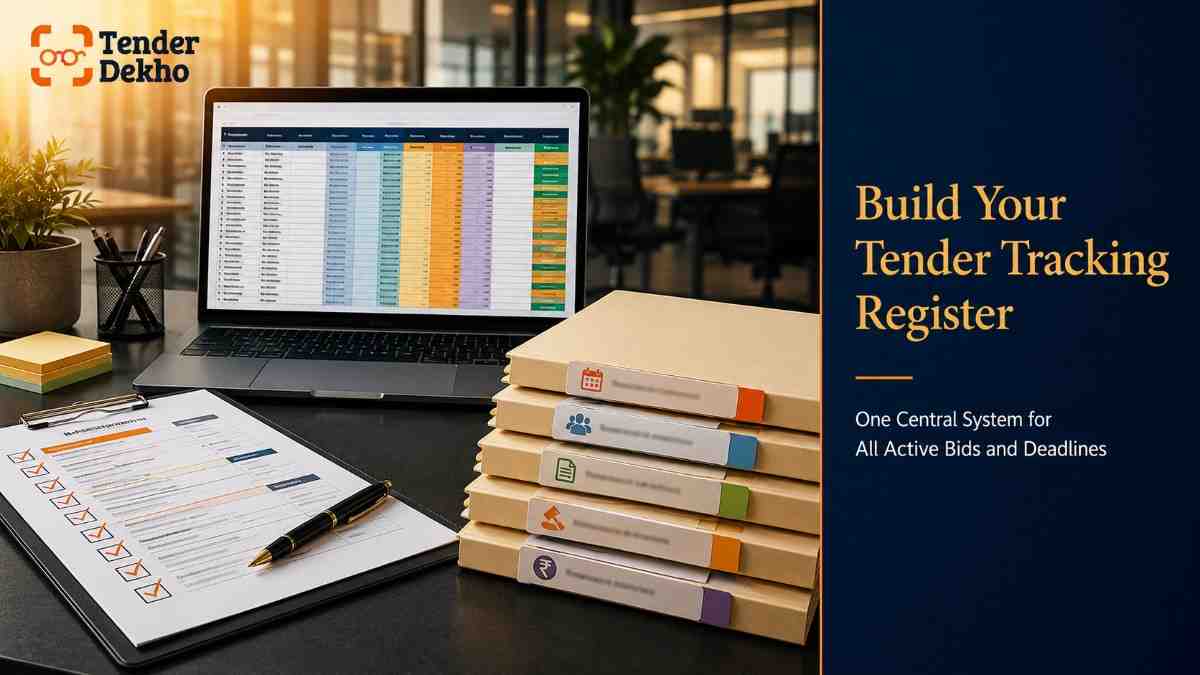
The single most effective thing any business can do is create one central register — a live document where every tender you are monitoring lives in one place. This sounds simple. Very few businesses actually do it properly.
Your tracking register should capture the following for every tender:
- Tender ID and title — The unique identifier from the portal (e.g., NIT number, Bid ID)
- Issuing department and portal — CPPP, GeM, or the state portal
- NIT publication date — When it went live
- Document download deadline — If one exists
- Pre-bid meeting date — If scheduled
- EMD submission deadline — Physical or portal-based
- Bid submission deadline — The hard cutoff date and time
- Estimated value — For bid/no-bid prioritisation
- Status — Tracking / In preparation / Submitted / Result awaited
- Assigned owner — Who in your team is responsible for this bid
For small businesses handling 5–15 active tenders at a time, a shared Google Sheet or Excel file with conditional formatting (colour-coded by days remaining) works well and costs nothing. For businesses tracking 30+ tenders simultaneously, purpose-built tender management software is worth evaluating.
Browse government tenders filtered by deadline and sector on TenderDekho and import relevant details directly into your register.
The 72-Hour Rule
Set a personal policy: no bid submission within 72 hours of the deadline. This is your buffer for portal errors, digital signature certificate (DSC) issues, file size rejections, and last-minute document corrections. Bidders who consistently submit at the last hour are the ones who most often fail on technical grounds — not because of price or capability.
Strategy 2: Set Up Multi-Channel Tender Alerts
Waiting for the right tender to show up is a passive strategy. By the time you manually discover a tender that fits your profile, you may have already lost a week of your preparation window.
Active alert systems push relevant tenders to you the moment they are published. Here is how to build a multi-channel alert system:
Step 1: Register directly on primary portals
- On CPPP (eprocure.gov.in), create a bidder account and save search profiles by keyword, state, and department. The portal's notification system sends email alerts when matching tenders are published.
- On GeM (gem.gov.in), set up keyword-based product/service alerts in your seller dashboard. GeM also notifies registered sellers of relevant bids.
Step 2: Use a tender discovery platform
Aggregation platforms pull tenders from hundreds of central and state portals into a single interface. You set filters — sector, geography, estimated value, department type — and receive consolidated alerts by email or WhatsApp. This is especially valuable because India has dozens of active state e-procurement systems (Maharashtra's Mahatenders, UP's e-procurement portal, Rajasthan's SPPP, and so on), and manually monitoring each is impractical.
Step 3: Add calendar integration
For every tender you decide to pursue after receiving an alert, immediately create a calendar entry for:
- The bid submission deadline (with a 72-hour reminder)
- The EMD submission deadline (with a 96-hour reminder)
- An internal document-readiness review date (5 days before submission)
Google Calendar, Outlook, or even a phone calendar works. What matters is that deadlines leave your tracking sheet and enter a system that reminds you without you having to remember.
Find active government tenders updated daily on TenderDekho — covering Central, State, PSU, and GeM bids in one place.
Strategy 3: Watch Corrigendums — They Are Traps for the Unprepared
A corrigendum is an official amendment to a published tender. It may change the scope of work, modify eligibility criteria, revise the BOQ, or — most critically — shift the bid submission deadline.
Corrigendums are extremely common in Indian government procurement. A tender with an original deadline of 30 June might issue a corrigendum on 25 June extending the deadline to 15 July. Bidders who stopped monitoring the tender after downloading the original document submit by 30 June — and then find their bid is premature. The reverse also happens: a department tightens a deadline, and bidders who did not check find they have already missed it.
Here is how to handle corrigendums systematically:
- Check the portal page of every active tender at least every two days
- On CPPP, corrigendums appear under the "Corrigendum" tab of the specific tender notice
- Set a recurring calendar reminder to check each active tender for updates
- When a corrigendum is issued, immediately update your tracking register — both the deadline and the document version you are working from
- Re-read the corrigendum carefully: scope changes may affect your eligibility or pricing
For MSMEs managing multiple active bids simultaneously, this daily discipline is what separates consistent winners from businesses that perpetually feel like they are "just missing" opportunities. Check the latest active tender listings in Madhya Pradesh on TenderDekho to stay updated on state-level procurement activity in your region.
Get instant tender alerts — completely free
New government tenders are published daily. Get notified instantly for the ones that match you.
Strategy 4: Build a Document Readiness System to Work Backwards from Deadlines
Missing a deadline because your documents are not ready is the most avoidable failure mode in tender management. The documents required for most government tenders are predictable — turnover certificates, GST returns, EMD instruments, experience certificates, Udyam registration certificate, and DSC. The problem is not that businesses do not know what is needed; it is that they do not maintain these documents in a submission-ready state.
The solution is reverse deadline planning. Once you note a tender's submission deadline, work backwards:
- Bid submission day (T): Everything finalised and uploaded
- T minus 3 days: Final review of all uploaded documents on portal
- T minus 5 days: Financial bid prepared and reviewed
- T minus 7 days: Technical bid complete, all documents compiled
- T minus 10 days: EMD instrument arranged and sent (if physical)
- T minus 14 days: Eligibility gap check complete — do you qualify?
- T minus 21 days: Tender downloaded and scope fully understood
This backward planning makes the deadline real from the moment you add a tender to your pipeline. Instead of a single date on a calendar, you now have a project schedule.
Maintain a Document Expiry Tracker alongside your tender register. Many disqualifications happen not because a document was missing, but because it had expired. Common expiry-prone documents include:
- DSC (Digital Signature Certificate) — Valid for 1–2 years; renewal takes 3–7 days
- Udyam Registration Certificate — Does not expire, but details must be current
- Bank statements and ITRs — Typically required for the last 2–3 financial years
- PF/ESI compliance certificates — Monthly renewals in some cases
- ISO or quality certification — Annual renewal
| Document | Typical Validity | Renewal Lead Time | Alert Trigger |
|---|---|---|---|
| DSC (Class 3) | 1–2 years | 3–7 days | 30 days before expiry |
| ISO 9001 certification | 1–3 years | 2–4 weeks | 45 days before expiry |
| NSIC Registration | 1–2 years | 4–6 weeks | 60 days before expiry |
| BIS/BEE certification | As specified | 4–8 weeks | 60 days before expiry |
| Bank solvency certificate | 3–6 months | 1–2 weeks | 14 days before expiry |
Source: CPPP portal guidelines, NSIC registration rules (2025 data)
For MSMEs, the Udyam Registration from udyamregistration.gov.in unlocks EMD exemption and price preference benefits — ensure your registration is active and correctly updated, especially if your turnover or employee count has changed.
How MSMEs Can Use Deadline Tracking to Gain Competitive Advantage
For MSME bidders specifically, deadline tracking is not just about avoiding disqualification — it is a competitive strategy. Consider this: larger competitors with full-time bid teams monitor portals daily and respond within hours of a new NIT. They do not rely on remembering. They have systems.
MSMEs that build equivalent systems — even simple ones — compete on equal terms for the administrative part of tendering. And given that over 68% of total GeM orders in FY 2025–26 were fulfilled by MSEs, according to GeM portal data (2026 data), the opportunity is clearly there for organised small businesses.
Practical MSME-specific steps:
- Save sector-specific keyword alerts on CPPP and GeM (your product HSN code, service category, or department type)
- Check GeM regularly for reverse auction bids — these have shorter timelines (sometimes 24–48 hours) and require immediate action
- Apply for EMD exemption at the start — do not scramble at submission time; have your Udyam certificate in your document folder ready to upload
- Shortlist tenders 20+ days before deadline — this gives you enough time to check eligibility, arrange EMD, and prepare a thorough bid
With GeM's seller dashboard now also sending order and bid notifications, MSMEs registered on GeM get a built-in alert system for their registered categories. Use it actively, not passively. If you are not yet on GeM, professional GeM seller registration assistance can get you set up quickly.
FAQs: Tracking Tender Deadlines in India
Can I request a deadline extension if I missed it?
No. Bid submission deadlines in Indian government procurement are absolute. Once the portal closes, no extension can be granted to individual bidders. The only way a deadline changes is through an official corrigendum issued by the procuring department — which applies to all bidders equally, not on request.
Competitor Intelligence Dashboard
6-module analysis platform · Paid feature
Know exactly who's beating you — and how to win next time.
Go beyond basic search. Analyse bid history, win rates, and head-to-head performance for any company across 8 years of government tender results.
7L+
Companies
6
Intel Modules
8 Yrs
Bid History
AI
Insights Engine
What happens if the portal crashes before I submit my bid?
This is a known risk with e-procurement portals. Most state portals and CPPP have a grievance mechanism, but the outcome is uncertain. The safest approach is to complete your upload 48–72 hours before the deadline, so portal issues can be resolved. Document any errors (screenshots with timestamps) in case you need to raise a formal complaint with the department.
How early should I start preparing after I find a relevant tender?
Ideally within 24 hours of the NIT publication date. The earlier you start, the more time you have to check eligibility, request clarifications (if allowed), arrange EMD, and prepare a thorough bid. Starting 5 days before the deadline is too late for most tenders above ₹10 lakh.
Is there a single portal where all Indian government tenders are listed?
No single portal aggregates every tender in India. CPPP (eprocure.gov.in) covers Central Government and many PSU tenders. GeM (gem.gov.in) covers marketplace-style procurement. State portals operate separately. Aggregation platforms — including TenderDekho's active tender search — pull from multiple sources into one searchable interface, which is significantly more efficient for bidders who cannot monitor all portals individually.
Does an MSME get more time to submit bids?
No. MSME benefits in government procurement relate to EMD exemption, price preference, and procurement reservations — not to deadline extensions. Submission deadlines are uniform for all bidders.
How do I know if a tender has issued a corrigendum?
Check the original tender's page on the portal where it was published. On CPPP, there is a dedicated Corrigendum tab for each tender notice. On state portals, corrigendums appear as addenda to the original NIT. Set a reminder to check every two days throughout the active tender period.
Your 30-Day Action Plan to Never Miss a Tender Deadline

If your current process for managing tender deadlines is informal — saved bookmarks, WhatsApp reminders, or memory — here is how to build a proper system in 30 days without significant investment.
| Week | Action | Time Required |
|---|---|---|
| Week 1 | Set up your central tender tracking register (Google Sheet or Excel). Add all active tenders you are currently monitoring. | 2–3 hours |
| Week 1 | Register on CPPP and GeM if not already done. Set keyword alerts on both portals for your sector and geography. | 1–2 hours |
| Week 2 | Create a Document Expiry Tracker. List all critical documents with their expiry dates. Set calendar alerts for 30–60 days before each expiry. | 2–3 hours |
| Week 2 | For every active tender in your register, add calendar reminders: T-7 days (document readiness), T-3 days (final review), T-0 (submission deadline). | 1 hour |
| Week 3 | Establish a daily 15-minute portal check routine. Check your register, verify corrigendums for active tenders, and act on new alerts. | Ongoing |
| Week 4 | Review your system. Did any tender slip through? Adjust alert keywords or add missing portals for your state. | 1 hour |
This system costs nothing to build and will save you time every single week. The businesses winning government contracts consistently are not necessarily the most experienced — they are the most organised.
Start your tender search today and begin building your pipeline with active government tenders on TenderDekho. For further guides on bid preparation, eligibility, and procurement strategy, visit the TenderDekho blog.